Outdoor Field Guides
Custom Inflatable Water Slides: How to Approve Logo Placement
Sourcing custom inflatable water slides? Confirm customization options, then approve logo placement, viewing angles, sample details and packaging.
Sourcing custom inflatable water slides? Confirm customization options, then approve logo placement, viewing angles, sample details and packaging.
A flat proof can show a perfectly level wordmark. Put the same design on an inflated surface and part of the last letter may disappear around the side. The person signing the artwork and the person setting up the display need the same view. Here is a way to write that view into a purchase order for an inflatable water slide, subject to the supplier confirming that the selected model supports the proposed customization.
Start with the DYLAN inflatable water-slide supplier page as a category-level enquiry reference. Ask the supplier to identify the exact model and provide its current catalogue entry, drawing and model-specific photographs. This guide does not identify a confirmed customizable model. Ask the supplier to confirm the available print area and customization options for the selected model before treating a marked-up photograph as a production proposal.
Give custom inflatable water slides a front view everyone can reproduce
Once the supplier has identified the model, send back its catalogue view with the preferred logo location marked. Describe the intended viewing position: for example, the approach from a venue entrance, the side facing a rental counter or the view shown in a retailer’s product listing. Ask for a straight-on photograph of the proposed location on the inflated sample, prepared under the supplier’s confirmed setup instructions. A second photograph from a side angle will show how quickly the lettering curves out of sight.
Use landmarks that are actually present on the selected model. Mark the front, left and right on the drawing and identify the feature used to orient the artwork. Ask the supplier to confirm its position relative to seams, attachments, openings and any required product markings. Do not assume that a visually clear surface in a catalogue photograph is available for printing. The catalogue photograph alone cannot establish a printable width.
Choose the distance that matters in the display
If the slide will be displayed inflated, stand where a customer or rental operator first sees it. If it will be offered through a product listing or packaged for retail, inspect the proposed listing image or unopened pack first. In one case the inflated product carries the first impression. In the other, the image or pack does. Record which word or symbol must be readable, the viewing distance you used and the approved photograph. Staff can repeat that simple check when the first delivery arrives.
Record the camera position as well as the product orientation. A close photograph can make a mark appear prominent even when it is difficult to read from the intended approach. Keep both an overall view and a closer artwork view, labelled with the same model and artwork revision. Use the overall view to approve placement and the closer view to inspect the lettering.
Write a proof sheet with four decisions
Give the artwork file a revision number and put that number on the proof sheet. A description such as “blue logo, large” still leaves the factory and the buyer to choose a shade, a width and a position. The following four entries fit on one page and give the person approving the sample a concrete decision to make.
| Proof entry | What to record | What the buyer checks |
|---|---|---|
| Finished size | Ask the supplier to confirm the selected model’s dimensions, measurement points and setup conditions. Distinguish inflated dimensions from folded-product and package dimensions. | Use the same confirmed measurement method for the sample, purchase order and any dimensions printed on the pack. |
| Print position | Identify the proposed surface on the model drawing, record the requested logo width and mark the top of the artwork relative to an agreed feature. Ask the supplier to confirm the permitted area and placement tolerances. | Check the first and last letters from the agreed front and side views. Confirm that the proof stays within the supplier-approved area. |
| Colour and backing | Identify the underlying product colour and the approved print-colour reference. Ask how the sample will be matched and whether the proposed print method is available for that surface. | Compare the lettering on the actual sample under the same agreed lighting. Record any approved difference between the digital proof and physical sample. |
| Pack face | Confirm the packaging format, which side faces out and whether the customer sees an illustration, a photograph or the folded product. Ask the supplier to confirm pack contents. | Inspect a packed sample in its intended display or handling position and check the model name, artwork revision and barcode together. |
Keep the reference landmark in the approval photograph
A model-specific landmark makes the approved orientation easier to reproduce, even when that feature will sit outside the final merchandising photograph. Ask the supplier to mark the available print area and its clearance from adjoining features on the artwork proof. If the proposed mark extends across a seam or a change in surface shape, ask whether that placement is supported. Request a sample showing the agreed placement before approving it.
Ask the supplier to confirm whether the requested artwork could affect the placement or visibility of instructions, warnings, identification labels or other required markings. The artwork proof should show the confirmed arrangement. Do not infer the applicable requirements, certification status or permitted changes from a product photograph; ask the supplier to confirm the documentation for the selected model and intended destination.

Give each model and colourway its own approval
Many seasonal ranges repeat one identity across several products. A logo approved for one inflatable water-slide model does not establish the available print area on another. A different shape, seam position or arrangement of features can change both the proposed location and its visibility. Give each selected model its own drawing, orientation and sample reference. Ask which background colour will sit behind the mark on each version.
A colour change also needs its own check. A dark wordmark approved on a light surface may be difficult to read against another background. Ask the supplier to confirm which product colours and print colours are available for the selected model. Compare the proposed combinations on physical samples where available, and agree the scope of the colour approval in writing.
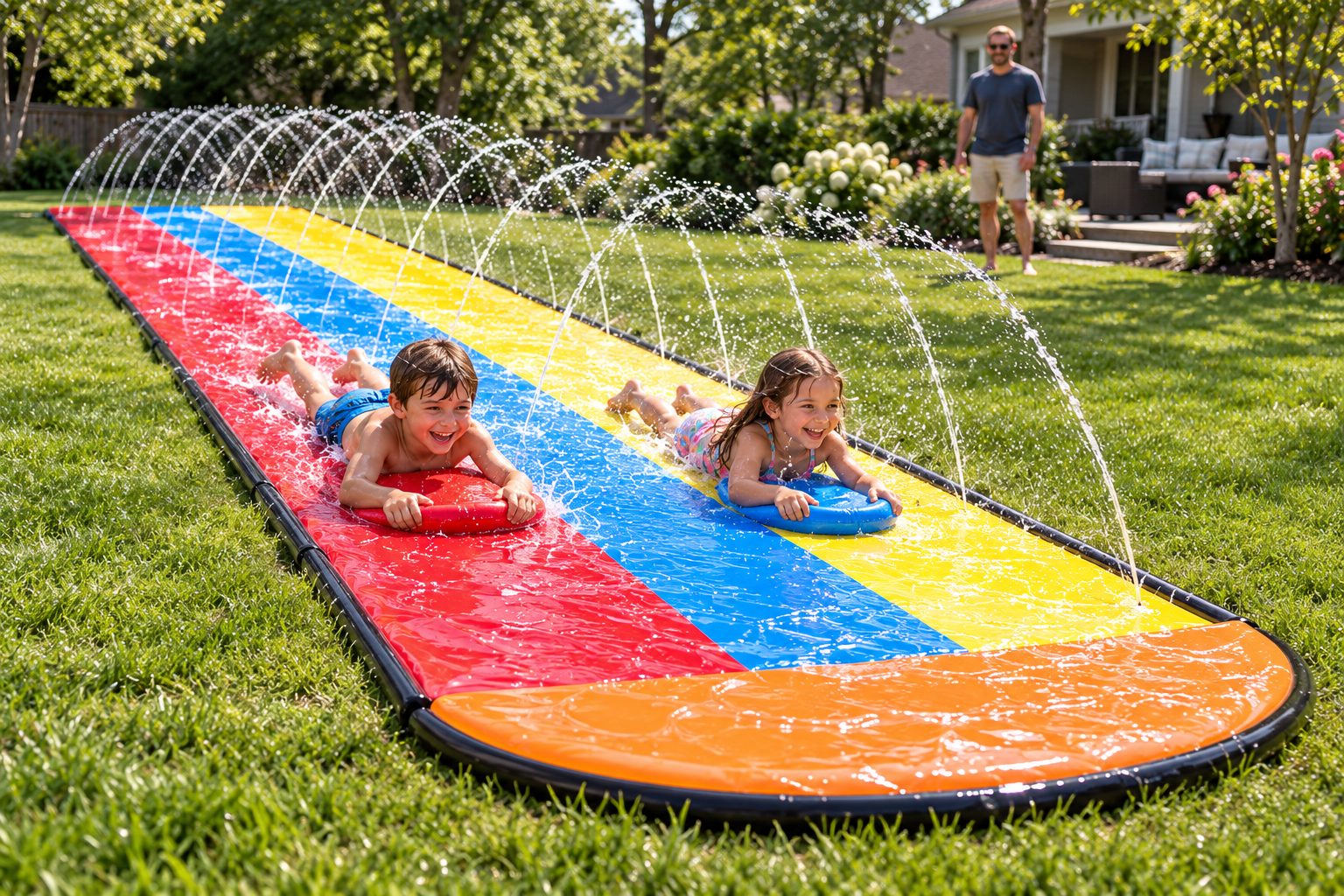
The catalogue picture may also raise an order question. If several versions appear in one frame, a buyer ordering an assortment needs to state the requested split and ask whether those versions are actually available. Confirm whether the quoted unit is one slide, a specified set or another defined packing configuration. The supplier still needs to confirm pack contents, carton mix and the quantities it can quote. Give every model and colourway its own order line so a change to one assortment cannot silently change another.
For rental purchasing, ask the supplier to identify any model-specific accessories included in the quotation and any items quoted separately. For retail purchasing, ask how the packed product and any included items will be identified. These are questions for the selected model; neither the category page nor an artwork photograph establishes what is supplied.
Match the approved artwork to the delivery
- At sample sign-off, keep one inflated front-view photograph, the agreed side view and a photograph of the unopened pack or shipping configuration. Label them with the model, colourway, artwork revision and approval date. Identify who can approve a later change. Ask the supplier to confirm which physical sample and documents will serve as the production reference.
- When ordering for several markets, separate the common product artwork from the market-specific pack files. Give the US, UK and German versions individual filenames if their text, units or barcodes differ. Ask the responsible local reviewer to approve the intended pack copy before print. Ask the supplier to confirm the model documentation and any proposed claims before adding them to product or packaging artwork.
- At goods receipt, match the carton label to the order line and compare a packed unit with the signed pack photograph. If the pack looks right but contains a different model, colourway or artwork location, record the carton identity, the actual unit and the approved sample together before releasing that batch for retail or rental use. Follow the supplier’s confirmed instructions for any setup needed to inspect the product.
Keep the dimensions check separate from the appearance check. A photograph can establish the approved view, but it does not establish the product’s measurements. Use the measurement points and conditions recorded on the proof sheet. If the supplier proposes a different method after sample approval, resolve that change before treating the new result as equivalent.
What if the logo looks right flat but wrong on the sample?
Mark the specific letter, edge or orientation that needs changing. Return the annotated photograph with the artwork revision and request a new proof for the affected surface. Ask the supplier to confirm whether the correction fits within the available print area and supported customization process. Preserve the approval for any separate pack version that still matches. This gives the supplier a bounded correction and prevents the receiving team from working with two apparently final files.
If a product photograph appears on the pack, check whether the correction also changes that photograph. A revised logo position on the product may require an updated pack image even when the surrounding text remains correct. List the affected files on the change request and ask the supplier to confirm which versions will be used. Keep superseded files clearly identified in the approval record.
What should go into the first enquiry?
Send the supplier-confirmed inflatable water-slide model reference, intended destination, purchasing quantities and the logo file if you have one. If a model has not yet been selected, start with the DYLAN inflatable water-slide supplier page and request a current model recommendation and catalogue reference. Include a picture or sketch of how the product will be displayed and mark the preferred logo location as a proposal.
Ask the supplier to confirm the available print area and customization options for the selected model. Request confirmation of sample scope, dimensions and measurement method, product colours, print method, pack contents, relevant documentation, costs and timing in the quotation. Ask which requested features are supported and which require an alternative proposal. Do not assume that a category listing confirms a particular specification, certification, price or delivery date.
Keep artwork approval, packaging approval and commercial confirmation identifiable within the same enquiry record. The buyer should be able to see which model and sample the quotation covers, which artwork revision is proposed and which details still require supplier confirmation. That makes the next decision concrete without turning a catalogue image into an unsupported supply promise.
Request a model-specific artwork and sample quote ↗